001 · LIVE
Make everywordland.
Every word, in its moment.
Turn spoken audio into precise, editable subtitles. Refine the timing, shape the story, and export with confidence.
A PIXELPIE MEDIA STUDIO
Every word, in its moment.
Turn spoken audio into precise, editable subtitles. Refine the timing, shape the story, and export with confidence.
A PIXELPIE MEDIA STUDIO
It is timing made visible.
A word that lands a quarter-second late stops being invisible. It pulls attention away from the story and onto itself. SubPilot treats every cue as a measured object: a start, an end, and a reading speed a human eye can actually follow.
During generation, start and end times are locked and overlaps are prevented before you ever see them. Ultra timing precision tightens each cue to the frame, and the reading-speed optimizer keeps every line inside comfortable viewing pace.
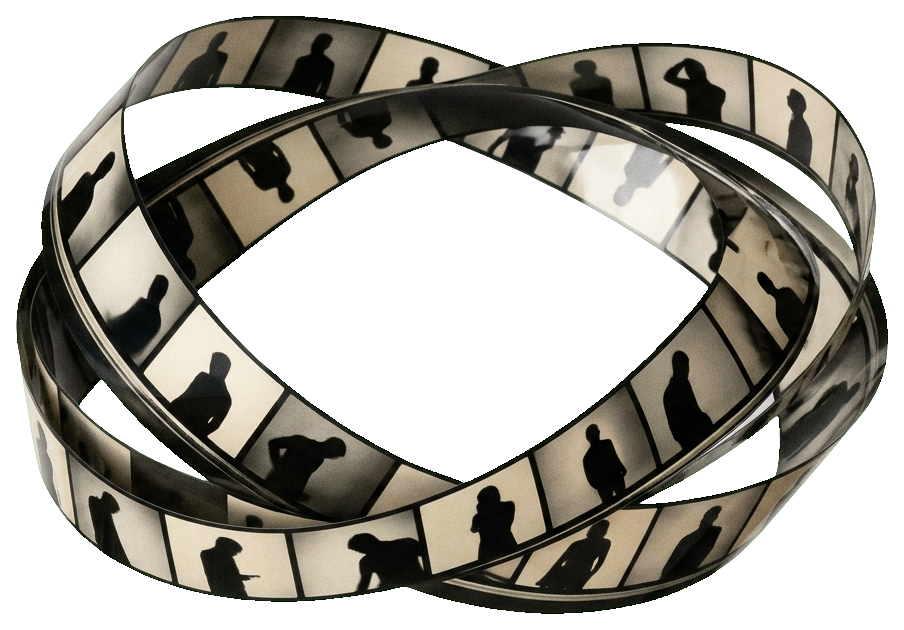
Raw speech goes in at one end of the ribbon. A finished, precisely timed subtitle file comes out the other.
THE TRANSFORMATION · ONE CONTINUOUS CUT
Audio
STAGE 01/WF01
Drop an audio file into the studio or record straight from the microphone. MP3, WAV, M4A, MP4 and more decode instantly — the waveform appears immediately.
STAGE 02/WF02

Speech becomes timed subtitle cues. Presets for Reels, YouTube and Podcast set word limits and timing depth, with translation ready across ten languages.
STAGE 03/WF03
Edit wording, speakers, start and end times cue by cue. Split or merge inline while reading speed is measured against every line.
STAGE 04/WF04

Download SRT, VTT or TXT — timed, cleaned and formatted, ready to ship with the story.
THE CONTINUOUS CUT
Your audio never leaves the strip.
Every stage works on the same continuous record — the waveform you dropped in is the waveform you refine and the waveform the exporter reads. Nothing is re-cut, re-encoded or invented between steps.
Waveform, transport, transcript and subtitle segments share one surface. Every edit you make reads against the actual sound — scrub the audio, adjust the cue, keep the story moving.
Harbor_Interview_final.wav
ENGLISH·96% MATCH·11.6 AVG CPS·0 OVERLAPS
TRANSCRIPT
We started at dawn, before the harbor woke up. What did you find out there? A story nobody had cut yet.
SUBTITLE SEGMENTS
04 CUES
INTERFACE DEMONSTRATION · ILLUSTRATIVE DATA · QUALITY REPORT: AVG CPS / OVERLAPS / MATCH — AS SHIPPED
The craft is in the details.
TIMELINE SNAP · DEMONSTRATION
1-FRAME STEPS00:00:04,082 — DRIFTING
In the studio, cue edges snap to the waveform and to their neighbours. Drift is corrected in single-frame steps, so a subtitle that should start with the breath does.
DETAILS HELD
The world is not finished when the sound begins.
Every recording starts as an unmade thing — hours of speech, pauses, noise. Subtitling is how it becomes a story you can read.

01:12:04,120→01:12:09,480
Every word you speak is waiting to be kept.
No invented features, no borrowed claims. This is what the studio does today, listed the way an editor would read it.
01
Upload audio or video, or record straight from the browser microphone. MP3, WAV, M4A, MP4, OGG, WEBM, FLAC and AAC decode instantly.
8 FORMATSUPLOADMICROPHONEINSTANT DECODE
02
Reels & Shorts hold three words a cue, YouTube & Video hold seven, Podcast & Talk handles multiple speakers — or build a custom setup with filler cleanup.
4 PRESETS3 / 7 WORD LIMITSMULTI-SPEAKERFILLER CLEANUP
03
Standard or ultra timing precision locks start and end times, prevents overlaps during generation, and shifts every cue globally by the millisecond.
±MS SYNCULTRA PRECISION0 OVERLAPSGLOBAL SHIFT
04
Edit cue text, speakers and start/end times. Split or merge inline, scrub the live waveform, and play back between 0.75× and 1.5× while you refine.
CUE EDITORSPLIT & MERGEWAVEFORM SCRUB0.75–1.5× PLAYBACK
05
Smart translation into ten target languages, with optional dual-language subtitle output when a story needs to travel further.
10 LANGUAGESAI TRANSLATIONDUAL OUTPUT
06
Reading speed measured as average and maximum characters per second, overlap count and confidence match — reported for every cue.
CPS DIAGNOSTICSAVG / MAX CPSCONFIDENCE
07
Download timed SRT, VTT or TXT — cleaned, formatted and ready for any platform.
SRT · VTT · TXTONE CLICKCLEAN FORMATTING
08
Recent projects stay close in local history; signed-in projects sync through cloud storage and reopen exactly where you left them.
CLOUD SYNCLOCAL HISTORYSIGNED MEDIA URLS
09
Bring your own provider credentials, encrypted with AES-256-GCM, process securely, and let auto-delete decide how long anything stays.
BYOKAES-256-GCMSECURE PROCESSINGAUTO-DELETE